
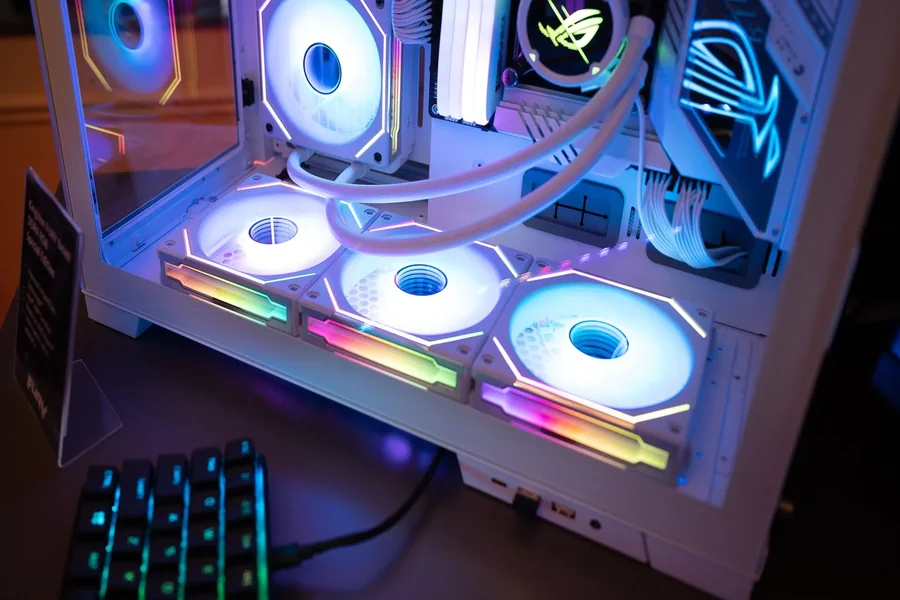
It’s exciting to build or buy your first gaming setup, but costly errors can ruin the experience. Here’s how to avoid them.
It can be scary to get your first PC for gaming. You can choose from a good number of choices, features, and prices. A lot of first-time buyers make mistakes that they could have avoided, and that cost them money and performance. This guide will help you get through the process easily and make smart choices that will give you the best gaming experience.
Understanding Your Gaming Needs Before Purchasing
A lot of beginners buy things without really knowing what they need. Different games demand different levels of power.
Think about what you’re going to play. Games like League of Legends and CS:GO that are played for money need less power. AAA games like Red Dead Redemption 2 and Cyberpunk 2077 need powerful gear.
Write down the five games you like the most. Research their system requirements. This simple step prevents overspending and underbuying.
Prioritising Graphics Card Over Everything Else
When it comes to games, the graphics card is the most important part. Still, a lot of first-timers manage their money badly.
Some people spend a lot of money on processors but not as much on GPUs. This creates a bottleneck that limits how much you can play games.
Thirty to forty per cent of your budget should go to your graphics card. This ensures smooth frame rates, steady and the graphics look great.
Popular choices include:
- NVIDIA RTX 4060 for 1080p gaming
- AMD RX 7700 XT for 1440p performance
- NVIDIA RTX 4070 Super for high-end 1440p/4K gaming
Don’t sacrifice GPU quality for flashy RGB lighting or unnecessary extras.
Overlooking the Importance of a Quality Gaming Monitor
It’s a waste of money to buy a powerful PC for gaming without a good gaming monitor. All of that hardware power is turned into a visual experience by your monitor.
Many beginners reuse old office monitors with low refresh rates. This creates a bad mismatch with capable hardware.
Gaming monitors should be able to handle what your PC can do. The 144 FPS that your machine makes can’t be shown on a 60Hz monitor.
| Resolution | Recommended Refresh Rate | Ideal GPU Tier |
| 1080p | 144Hz-165Hz | RTX 4060/RX 7600 |
| 1440p | 144Hz-180Hz | RTX 4070/RX 7800 XT |
| 4K | 60Hz-144Hz | RTX 4080/RX 7900 XTX |
Response time is also important. For competitive games, you should aim for a response time of 1ms. IPS panels offer better colours than TN panels.
Ignoring RAM Requirements for Modern Games
When building a game PC, RAM is often forgotten. Still, not enough memory leads to stuttering and bad performance.
In 2025, you need at least 16GB to play games. This is what many later books suggest as a baseline.
32GB is better for some open-world games and strategy games. Add more RAM if your budget allows it to prepare for the future.
Speed matters the most. The best speed comes from DDR4-3200MHz or DDR5-5600MHz. Slower RAM creates bottlenecks with modern processors.
Choosing Style Over Substance with Cases
It looks great with tempered glass panels and RGB fans. However, prioritising aesthetics ahead of airflow hurts efficiency.
Lack of airflow leads to temperature throttling. Your components slow down so that they don’t get damaged by burning.
Choose cases with:
- Mesh front panels for airflow
- Space for multiple fans
- Cable management options
- Dust filters for cleanliness
Adequate cooling makes parts last longer and keeps their function stable. It doesn’t matter how pretty your system is if it gets too hot when you’re gaming.
Underestimating Power Supply Importance
Power supplies seem boring compared to flashy components. But if you make a bad choice here, your whole system is at risk.
Don’t buy cheap power sources that aren’t a brand name. They can damage components or cause fires. This is not an area for budget cuts.
Figure out how much power your machine needs. For safety and future upgrades, add 20 to 30 percent more space.
Look for at least an 80 Plus Bronze approval. A gold or platinum ranking means that the service is more efficient and reliable.
Building is easier with modular cables, and they let more air move. Semi-modular options balance cost and convenience
Forgetting About Storage Speed and Capacity
A lot of people who are just starting out buy a small SSD to save money. This quickly leads to trouble.
Most new games are bigger than 100GB. Call of Duty: Modern Warfare III alone takes up more than 150GB of space.
Choose NVMe SSDs to store your operating system and best games. They load much more quickly than regular hard drives.
Consider this setup:
- 500GB-1TB NVMe SSD for OS and main games
- 2TB HDD or SATA SSD for additional storage
Loading times can impact gaming enjoyment. Fast saving makes your whole experience a lot better.
Skipping Research on Motherboard Features
Everything is linked together by motherboards. Choosing the wrong one limits features and ways to get upgrades.
Check compatibility with your chosen processor. Sockets for Intel and AMD are not the same. Verify the highest RAM support and maximum capacity.
Consider future needs:
- Enough USB ports for peripherals
- M.2 slots for fast storage
- PCIe slots for expansion cards
- Built-in Wi-Fi if needed
Quality voltage regulator modules (VRMs) are important for processor speed. Instability under load is caused by bad VRMs.
Not Planning for Proper Cooling Solutions
Especially when playing demanding games, stock CPU fans don’t always work well. Too much heat lowers efficiency and shortens the component lifespan.
Aftermarket air coolers raise temperatures by a huge amount and cost between £30 and £60. Plus, they also run quieter than regular options.
Case fans can make air pressure go up or down. Balanced airflow keeps temperatures cool and stops dust from building up.
Do not ignore the quality of the thermal paste. More heat is transferred by high-end chemicals than by low-cost options.
Buying Everything at Once Without Comparing Prices
The cost of PC components changes all the time. It usually costs more to buy everything from one store.
Use tools that compare prices. Monitor deals across multiple retailers. Patience saves significant money.
There are big deals in January, Black Friday, and Cyber Monday. Buying things around these times will get you the most value.
However, avoid waiting indefinitely for perfect deals. Technology constantly evolves, making endless waiting counterproductive.
Neglecting Peripheral Quality and Compatibility
Your gaming monitor, keyboard, and mouse have a direct effect on how you play. If you try to save money here, it will diminish your overall experience.
When it comes to durability and reaction time, mechanical keyboards are better. Gaming mice with DPI settings that can be changed work perfectly for all kinds of games.
Quality peripherals make long game sessions more comfortable. Ergonomic features keep you from getting tired and fatigued.
Make sure that the adaptive sync technology on your gaming monitor works. FreeSync or G-Sync get rid of screen blurring so images look better.
Start Your Gaming Journey the Right Way!
If you don’t make these common mistakes, your first PC for gaming will work and serve you well. Spend some time looking into parts that fit your budget and needs.
When you make smart choices, you end up with a setup you’ll love for years. Whether you are chasing competitive framerates or cinematic visuals, smart purchasing pays dividends.
Start building right away, make smart investments, do a lot of study, and enjoy every second of your gaming adventures.